- Contacts
- Emergencies
- WIFI & Internet
- Other
- Heating and Cooling
- Fireplace (Master Bedroom)
- Alarm
- Kitchen
- Dishwasher
- Grill
- Televisions
- Places to Visit in DC
- Groceries, Pharmacy, Restaurants
- Laundry
- Departure Checklist
Contacts
Ivana Curic
202-509-4954
4812 Western Ave, Bethesda MD
(2 doors down on the corner)
Caryn Solomon
301-523-0901
4843 Crescent Street, Bethesda MD
Contact us if you have any questions or issues.
Nadine:
nadine@boteros.net
cell: 202-744-2900
Luis:
luis@boteros.net
cell: 202-744-1972
Emergencies
Dial 911 for emergencies: police, fire, or ambulance
Hospital: Sibley
5255 Loughboro Rd NW
Washington DC 20016
Urgent Care: MedOne
7930 Old Georgetown Rd
Bethesda MD 20814301-652-0111
9am – 9pm
Departure Checklist
- Remove sheets from beds and towels and leave on the laundry room table in the basement
- Place garbage in the green bin outside
- Fill dishwasher and turn it on
- Verify that the doors of both refrigerators are closed
- Alarm: let us know when you have left, and we will engage the alarm remotely
- Return the house key to the lock box. The code is required to both open and close the box.
Wi-Fi & Internet
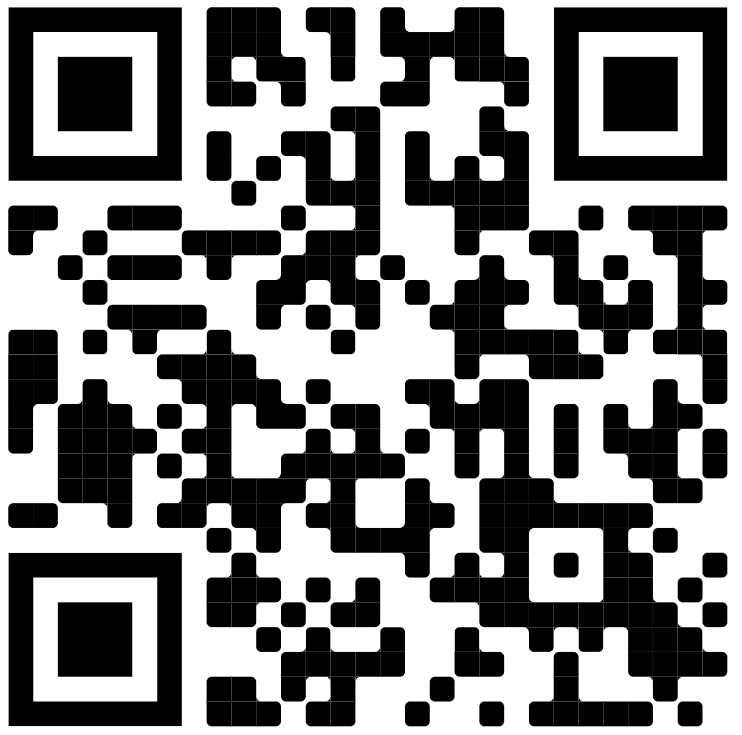
The wireless network is extranet and the passcode is botero4800
You can use this QR code to connect:
There is a computer over the kitchen table available to use. You can print from it as well. The printer is located in the master bedroom, in the corner of the office.
Other
- Mail: please take the mail out of the basket on the floor and put it on the counter
- Flashlights are in the tall cabinets in the kitchen – the first on the left, bottom shelf.
- Should you need to reset a circuit breaker, the electric panel is in the basement – all the way towards the front of the house
- Cushions for the backyard furniture are in the closet under the back stairs. Please put them away at night or it looks like rain.
- Security Cameras: There are two cameras, outside, over the front and back doors.
Heating and Cooling
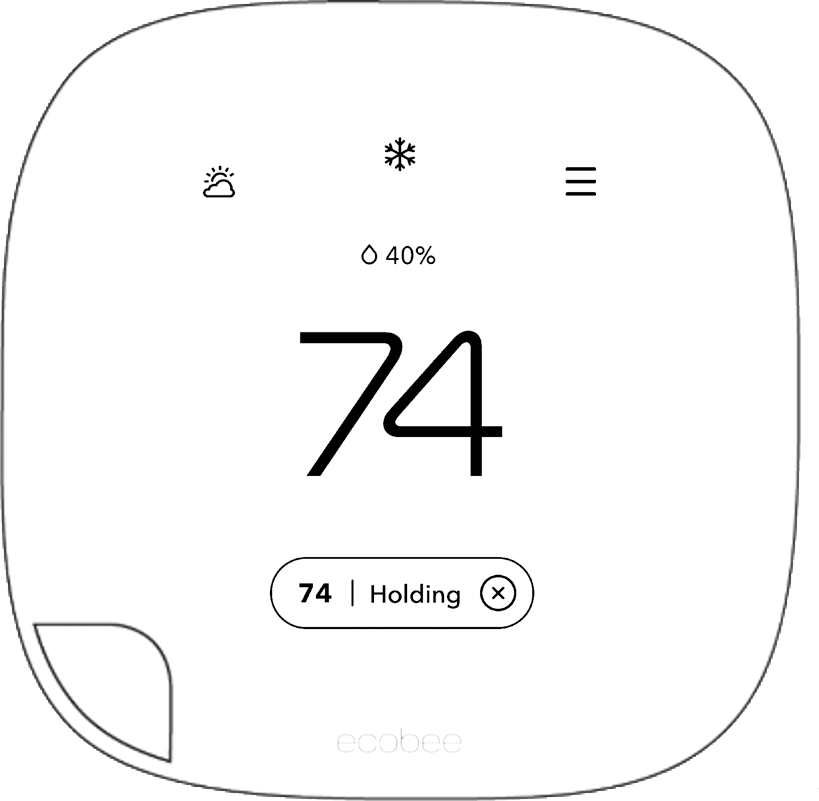
- There are two heating and cooling units – one for downstairs (thermostat is near the downstairs bathroom) and one for upstairs (thermostat is in the master bedroom).
- Automatic adjustments are disabled during your stay. The screen will activate as you approach the thermostat. Tap the large number (temperature) to adjust the setting. Select whether to adjust cooling or heating using the buttons on the left, then press the plus or minus on the right to adjust the target temperature.
Fireplace (Master Bedroom)
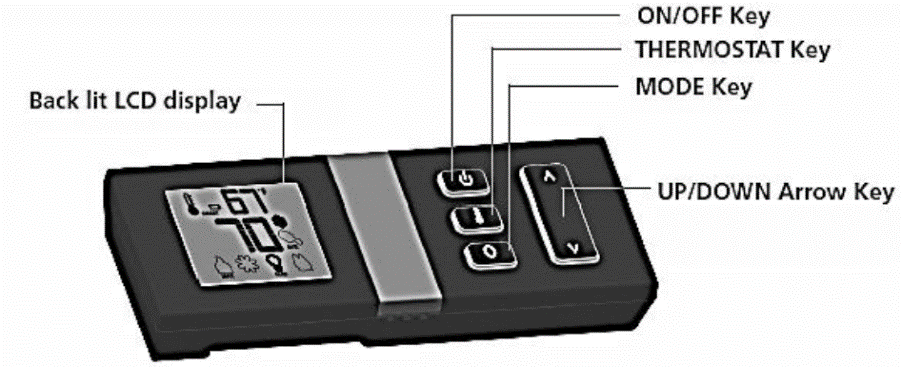
- To turn on the Fireplace, press the on/off key. The remote-control display will light up. The fireplace will ignite and start on Hi (level 5).
- Turn the heat down using the Up/Down Arrow Key.
- NOTE: DO NOT run the fireplace at level 4 or 5. It will get very hot. It takes a few minutes to warm up, but level 3 or lower will put out plenty of heat.
- Press the on/off key to turn off the fireplace.
- NOTE: Turn the flame level all the way down to turn off the flame but leave the lights on
Alarm
- We will turn the system off prior to your arrival and will arm it after you leave.
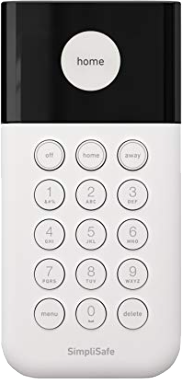
- If the alarm is on, you will hear a series of beeps upon entering the house. The keypad is to the right when you enter the house at eye-level in the shelves. Enter the 4-digit alarm code into the keypad. The alarm will announce that it is off and indicate the same on the keypad.
- Please send us a message with your expected time of departure so we can turn the alarm on once you leave.
- The control panel is located in the foyer to your right as you walk in the front door.
Kitchen
- Plates are in the third, tall, grey cabinet.
- Pots are in the drawer to the left of the oven.
- Glasses are to the right of the microwave oven.
- There is a second refrigerator/freezer (with ice) across from the large refrigerator
- Trash: please take the green trash bin to the curb on Thursday night for Friday morning pickup. Return the green bin once the trash has been picked up
Dishwasher
- Rinse the dishes and load the dishwasher.
- Place one detergent packet in the Manual Detergent Dispenser and close the lid.
- Push the door closed until it beeps. The lights on the front panel should light up.
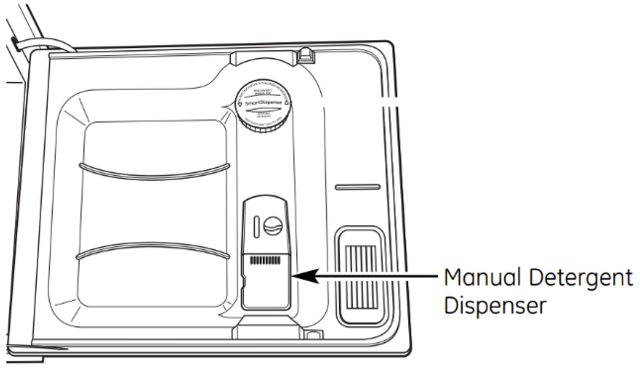

Select Normal Wash if it is not already selected.
Time will show minutes remaining if set to start now or the number of hours for a delayed start.
Push the 1-9 Delay Hours button to select whether to start now or a delayed start (in hours)
Grill
- The valve on the gas canister is already open (on).
- Turn the lowest burner knob to the start/high position to start the gas flowing (0 -> 1).
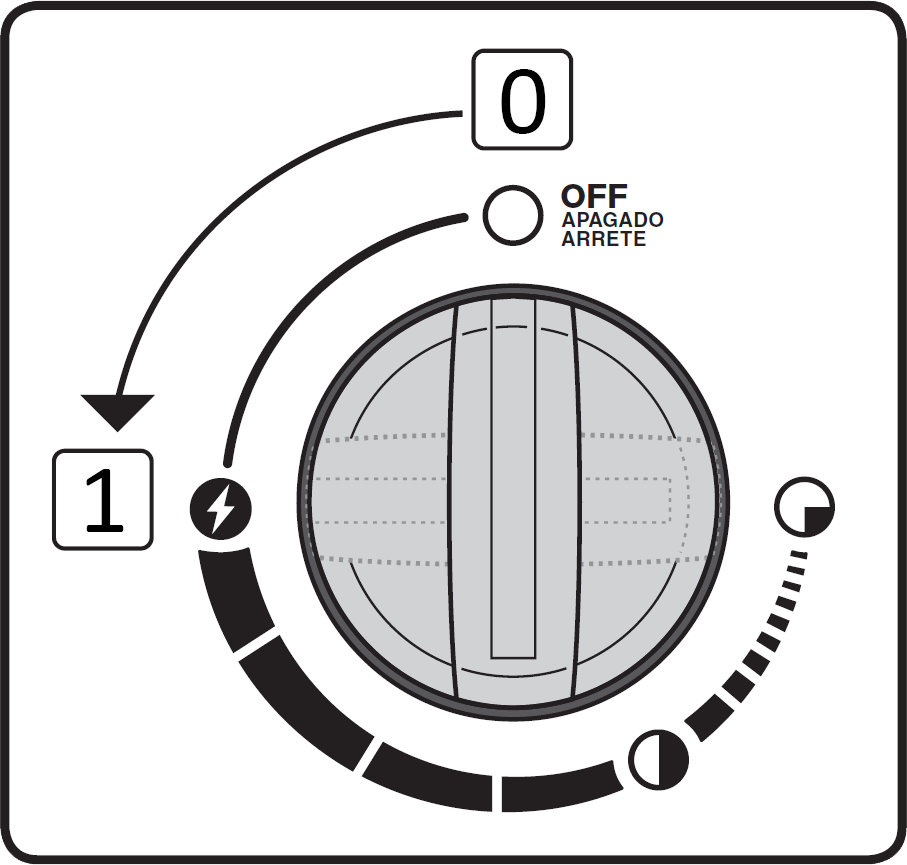
- Gently press the button (2) – you will hear clicking and the gas will ignite.
- Do not let the gas run for more than a few seconds before lighting it, or it may accumulate and ignite forcefully.

- Detailed instructions are inside the lower, left door.
- Remember to turn off all 3 the burner knobs when done.
- Alternative lighting method if the electronic igniter does not work:
- Use the lighter with the goose-neck extension (from the kitchen drawer across from the refrigerator).
- There is a hole in the front of the grill below. Place the lit lighter through the hole about 4 or 5 inches until it reaches under the first burner (closest to you).
- Turn the lowest burner knob to the start/high position to start the gas flowing (0 -> 1). Ignite the lighter.
Televisions
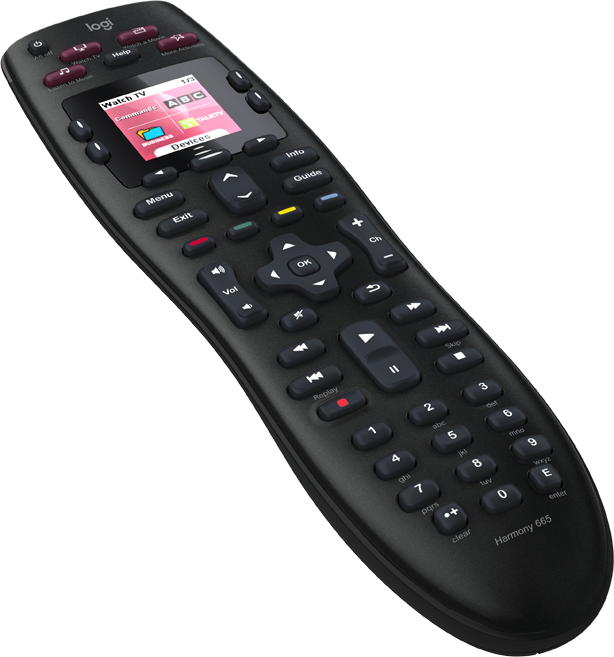
Family Room Television
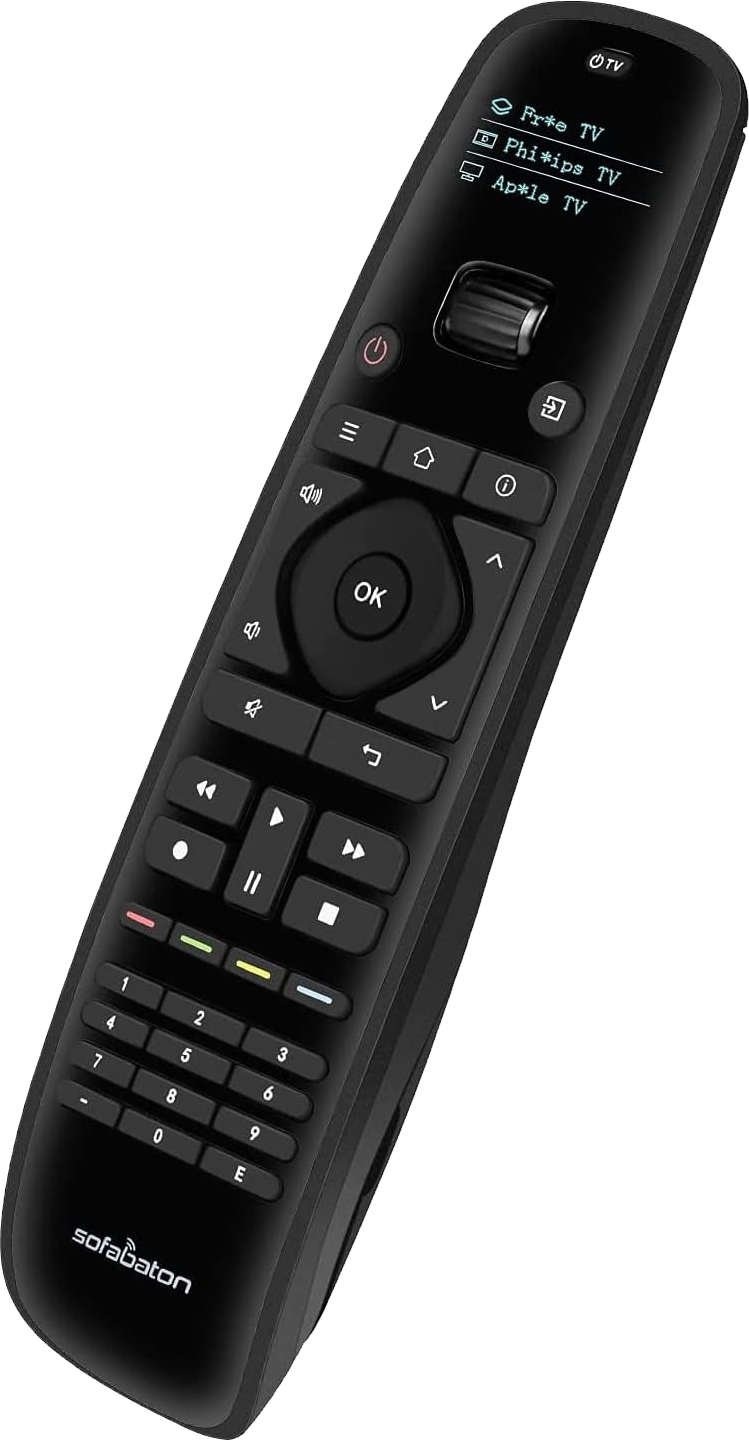
- If there is more than one choice on the remote screen, use the scroll wheel to select “Watch TV”. Click either power button to power the TV on or off.
- Use the Roku menu to select your options. The menu includes Netflix, Amazon Prime, Hulu, YouTube, Emby (content library), and more.
Master Bedroom Television
- Push the “Star” Button on the upper-right to get a list of choices on the screen.
- Select Watch TV. That will turn on the TV and the Roku. The menu includes Netflix, Amazon Prime, Hulu, YouTube, Emby (content library), and more.
- Click the power button at the top, left to turn off the television.
Guest Room Televisions
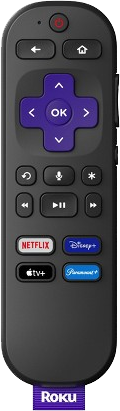
- Use the Roku remote to turn the TV on/off and control volume.
- The menu includes Netflix, Amazon Prime, Hulu, YouTube, Emby (content library), and more.
Places to Visit in DC
Here are some suggestions and links to websites that describe great places to visit while you’re in town! Our family favorites include:
- National Museum of Natural History (check out the great new fossils exhibit that opened last month)
- Smithsonian’s National Air & Space Museum (Apollo 50th Anniversary!)
- Lincoln Memorial (so inspiring)
- Washington Monument (tough wait to get up to the top but views are awesome)
- US Capitol and Library of Congress
- National Gallery of Art (East Wing is more modern; West Wing more traditional art)
- Smithsonian’s National Museum of American Art
Here’s a good site that details what a good “3-day tour” could include:
https://travel.usnews.com/Washington_DC/things-to-do/3-day-itinerary/
If you’d like to do a bus tour, we like the Big Bus company: www.bigbustours.com
Getting to the Mall and downtown DC:
Best options for getting to DC include taking Metro (closest station is Friendship Heights, about ½ mile away on the Red Line) or driving and parking either in a lot (cost ~$20-$25) or at a meter. If you park at a meter, you definitely need to download the ParkMobile App and then you can add time on your phone. DC is pretty vigilant about parking so don’t let time lapse or you’ll likely get a ticket! ☹
Metro is convenient, but with a group, it may be more cost effective to drive and park. Metro costs ~$2.50-$4 per person each way (cost depends on the distance you travel and the time of day). There are a number of parking lots near the Mall and museums. We usually use Waze to find the best way to get places around DC. You can expect it to take between 20-30 minutes to get to the Mall, depending on the time of day.
Groceries, Pharmacy, & Restaurants
There are plenty of grocery options nearby:
- Trader Joe’s: 5335 Wisconsin Ave NW, Washington, DC 20015
- Whole Foods: 5269 River Road, Bethesda, MD
- Giant: 5400 Westbard Avenue, Bethesda, MD.
- Closest pharmacy is CVS in Spring Valley – 4851 Massachusetts Avenue, NW, Washington, DC
We have some great restaurants in walking (or quick driving) distance. There are menus in this notebook so you can check out what they offer. They include:
- Millie’s – 4866 Massachusetts Avenue, NW
- Pizzeria Paradiso – 4850 Massachusetts Avenue, NW
- Blue Stone Lane Cafe – 4874 Massachusetts Avenue, NW
- Wagshal’s Market and Deli – 4845 Massachusetts Avenue, NW
- There is also a Starbucks near these restaurants as well as a Compass Coffee.
Last, there are some good delivery options too (menus in book) if you are tired from sightseeing and would rather not cook! And, of course you can always check on Uber Eats or DoorDash to see what options are available.
Laundry
The washer and dryer are in the basement. Please be careful on the stairs – they are uneven.
Washer
The detergent is on the shelf to the right of the washing machine. Use the clear cup marked with regular and max amounts.
DO NOT USE TOO MUCH DETERGENT. It will not get the clothes cleaner and will only make a mess.
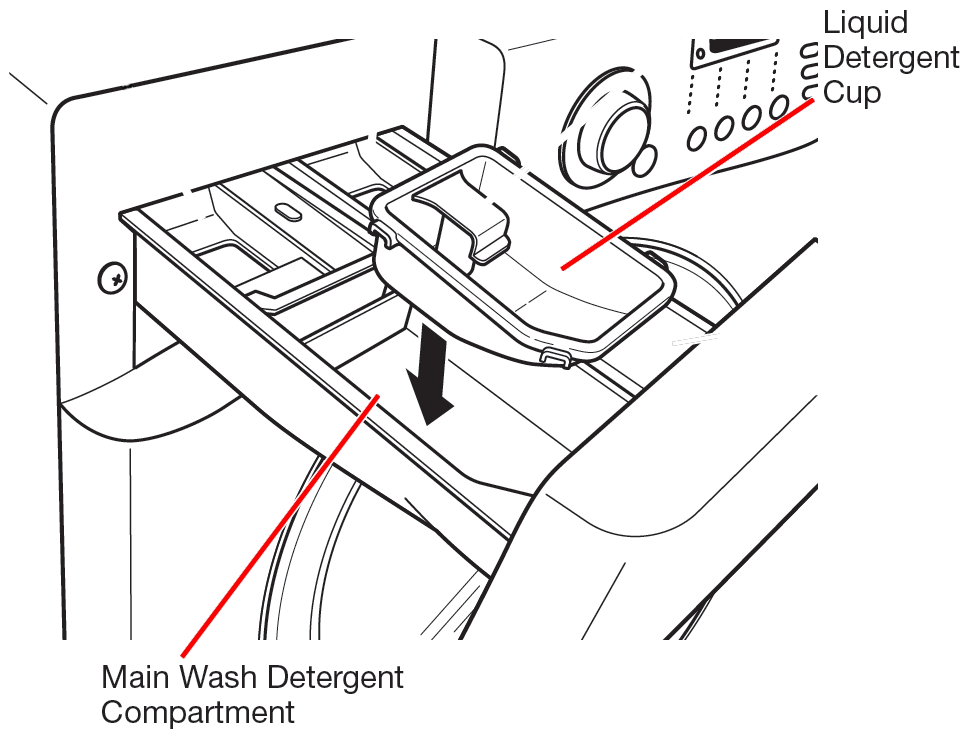
Open the drawer on the washing machine and pour the detergent into the container labeled MAIN – WASH Liquid Detergent. Close the drawer.
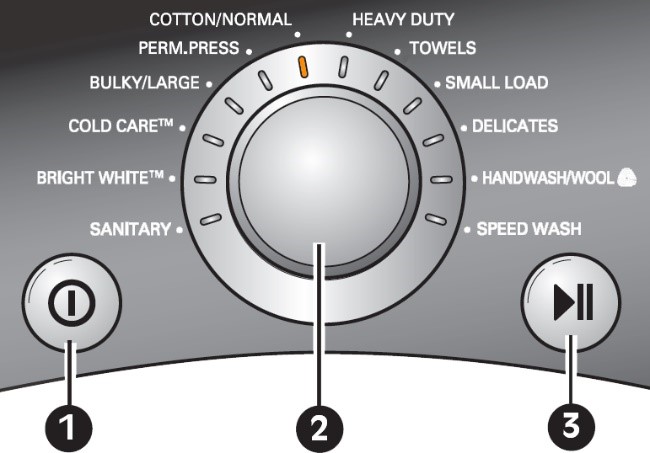
- Turn on the machine
- Select the cycle with the knob (Cotton/Normal works with most loads)
- Press Start
Dryer
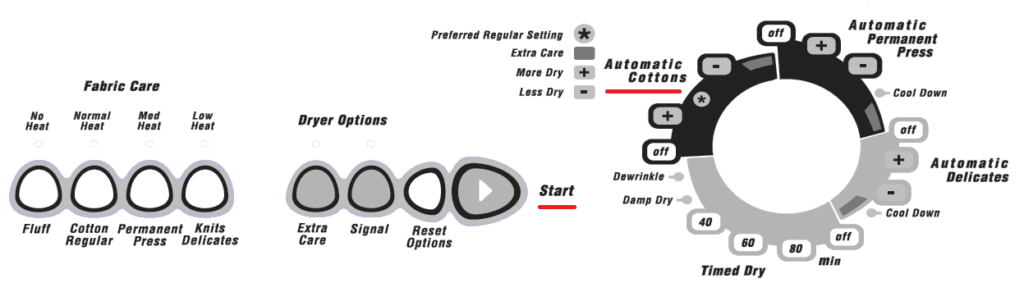
Automatic Cottons works for most loads. Turn the knob clockwise to somewhere in between more (+) and less (-) dry. Push Start.